

Programming12:49
Education11:33
Focus music1:55:28Algoright is a browser extension that filters distracting videos and posts on YouTube, TikTok, Instagram and X — sorting them into 35 categories so you decide what gets through.
Free on YouTube, forever. No card required.
4.9 stars on Chrome Web StorePick the problem, see the platform it happens on and the real feature that addresses it.
“YouTube keeps pulling me into recommended videos”
A home feed with only what you chose left in it
Pro“Comment sections turn a 2-minute video into 10”
Comments never load — the video plays, the rabbit hole is gone
Free“TikTok has no natural stopping point”
A full-screen "time is up" overlay once you hit your minutes
Mixed“I don't want to quit, I want a stopping point”
A feed with fewer edges — pick the approach that fits
Free“No real sense of where the time goes”
A real number instead of a guess
Pro“Instagram and TikTok keep recommending things I never asked for”
Keep who you follow, drop the algorithmic layer on top
The feed doesn't stop competing for your attention. Algoright just stops letting it win.


Click the extension icon any time to check your stats and adjust your filters.
Show only the types you pick. Everything else is hidden.
Runs on all content — pick categories above to narrow it.
Always hide these, no matter which platform you're on.
Real numbers, updated as you browse — how many videos were filtered and how much time you got back today. Scroll inside the window to see every control.
Algoright reads each video's title, channel and metadata on your device, assigns it to one of 35 categories, then hides the ones you turned off. Nothing is deleted — you can always unhide an item. Scroll to watch it happen.
Most extensions that touch your feed ask for a lot of access. Here is exactly what Algoright does with what it sees.
Every rule — Shorts, comments, sponsored posts, category blocks — is applied by the extension in your browser. An on-device classifier sorts every video into a category from its title, channel and metadata. For most videos nothing leaves the page.
Only the small share of titles the on-device classifier is genuinely unsure about get an AI second opinion — and only if you turn it on. We send just the title and channel name: no video, no watch history, no account identifiers.
Install and browse — on-device classification and filtering work immediately, no email or card. The optional AI assist, which sharpens the low-confidence cases, needs a free account since it's tracked per user, not per device.
AI assist is off until you switch it on, and you can switch it back off at any time. Even on, it only runs for the titles the on-device classifier is unsure about, and the request contains just a title and a channel name — nothing that identifies you.
Each setting is a switch you own, not a preference the algorithm can quietly override.
Turn off Shorts and Reels, comment sections, sponsored posts and recommendation rails per platform. Rules apply the moment a page loads.
Free on YouTubeAn on-device classifier sorts videos and posts into 35 categories — clickbait, gossip, politics, gaming and more. Only the ones it is genuinely unsure about get an optional AI second opinion, using just the title and channel name.
35 categoriesA stricter profile that locks the feed to the categories you choose and leaves search and subscriptions alone. Set a daily screen-time limit and Algoright enforces it.
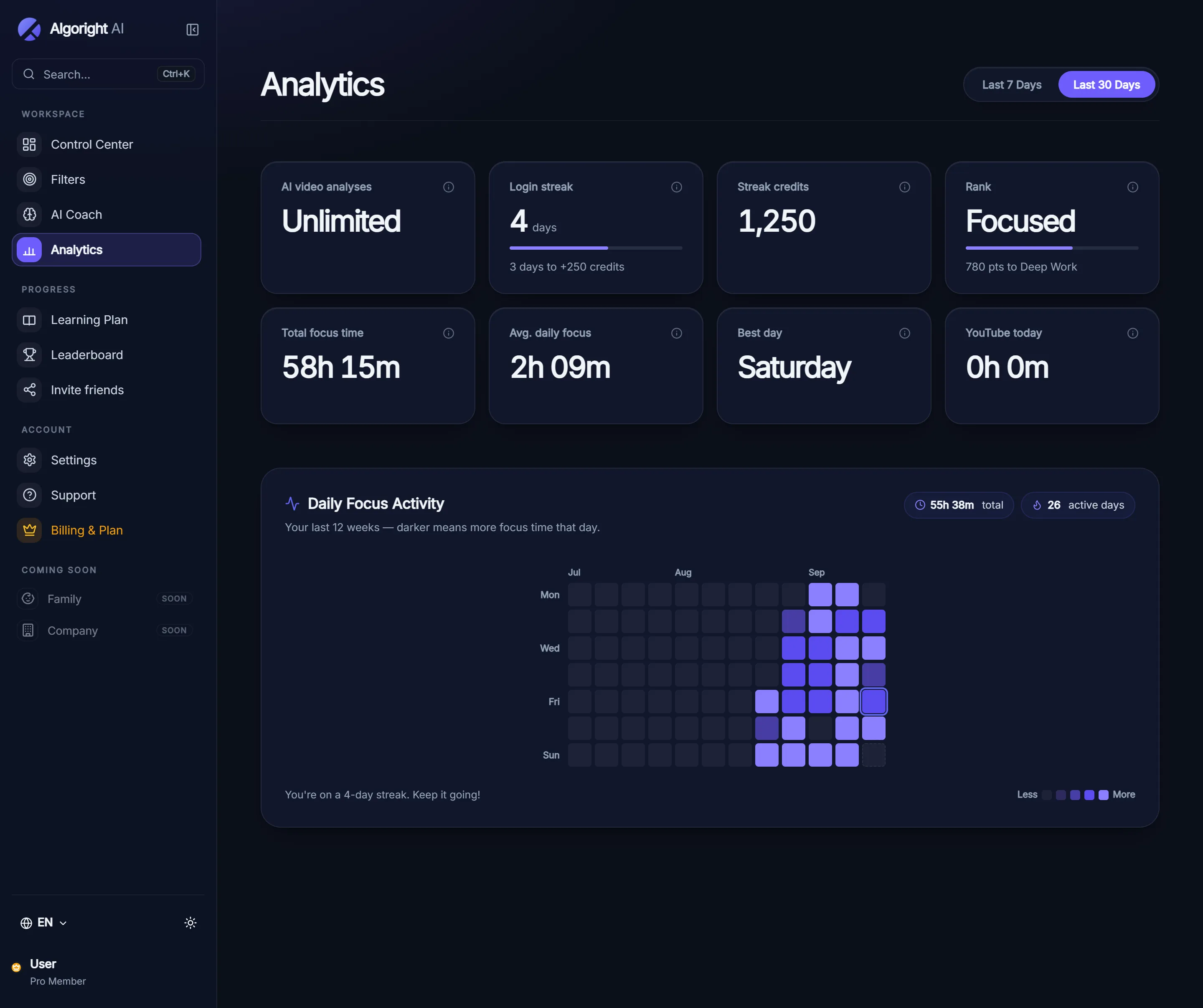
ProSee how many items were filtered, which categories show up most in your feed, and how your time on each platform changes week to week.
Full history in ProFiltering and classification run on your device. The optional AI assist is opt-in and sends only a title and channel name — never your video, your browsing history, or anything that identifies you.
No account requiredApply a filter profile across a household and lock the settings behind a passcode, so the rules stay put on shared devices.
In developmentThere is no dashboard to check in on and no account to set up. Install it, pick your filters, and keep browsing.
Add Algoright from the Chrome Web Store, Microsoft Edge Add-ons or Firefox Add-ons. No sign-up, no card, and the free tier stays free on YouTube.
Start from a preset or switch categories on one by one. There are 35 to pick from, plus toggles for Shorts, comments and sponsored posts.
Filters run as each page loads, in your browser. Nothing to open, nothing to remember — the noise is just not there anymore.
Switch profiles from the toolbar. Every preset is just a set of switches you can change.
The everyday profile. Short-form video and the loudest categories are gone, but search, subscriptions and long-form recommendations still work normally.
Choose the categories you want to see. Only content that matches what you are working on gets through, and the rest waits until you are done.
Apply one filter profile across a household and lock the settings behind a passcode, so the rules stay put. This preset is still in development — it is not part of Pro yet.
Start free with no card. Pro adds the other three platforms and the stricter focus tools.
Start blocking distractions on YouTube — no card required.
Everything Algoright can do, on every platform you use.
Pro is one subscription across Chrome, Edge and Firefox. Family controls are in development and are not available yet.
Feed, Shorts, comments, sponsored segments and recommendation rails.
For You feed filtering, category blocks and comment hiding.
Reels, Explore, suggested posts and sponsored content.
For You timeline, quote-bait, promoted posts and reply threads.
That is the full list. If a platform is not here, Algoright does not touch it yet.
The extension reads the page you are on in order to filter it, exactly like an ad blocker does. That reading happens in your browser and is never uploaded. An on-device classifier sorts every video into a category with no network at all. Only for the small share of titles it is genuinely unsure about — and only if you turn on AI assist — do a title and channel name get sent for a category; Algoright logs that title and category to keep improving the on-device classifier, but never the video, your history, or anything identifying you.
They cover both the things people want to keep (Education, Programming, Science, Finance, Fitness, Cooking, Music, Documentary) and the things people usually want gone (Clickbait, Celebrity gossip, Rage bait, Sponsored, Gambling, Prank, Reaction). You choose which ones get filtered — none are blocked by default except the presets you pick.
You can install it and use on-device classification and filtering straight away with no card. The optional AI assist runs against your account, so signing in (free) is what turns it on, along with your saved settings and your stats. Pro then adds the other three platforms and cross-device sync.
They are hidden from the feed, not deleted. Algoright shows a note saying how many items were hidden and why, and you can unhide any of them with a click.
Filtering runs as each page loads and only touches feed elements, so the site keeps working normally — search, subscriptions and playback are untouched. The on-device classifier is batched to keep it light, and the feed never waits on our server.
Free covers YouTube completely, forever, with all 35 categories. Pro adds TikTok, Instagram and X, plus Deep Focus Mode, daily screen-time limits, the full analytics dashboard, custom category training and multi-device sync.
Not yet. Family safety controls are in development and listed as coming soon — they are not part of Pro today, and we would rather say that plainly than imply otherwise.
Yes, any time, from the billing portal in your dashboard. Pro is $4.99 a month or $49 a year, and starts with a 7-day free trial.
Install the extension and take control of your feed. Free to start.